In its 10th year, Instagram shows no signs of slowing down. With 1 billion active users and growing, Instagram increased its US adult users from 35% to 37% in 2019. That’s a testament to its format. As a highly visual platform, its layout is ideal for mobile browsing – especially with more users browsing the web on their phones worldwide.
While Facebook is still the leading player among social media platforms with a reported 2.38 billion users in 2019, Instagram still has a higher engagement rate. With over 58 times more engagement per follower than Facebook, it’s not difficult to see why so many content creators are turning to Instagram to gain followers, engage their audience, and finally, drive sales towards their way.
The reason that Instagram is so effective in attracting users and engaging followers is because of its visual appeal. The human brain processes visuals 60,000 times more than text, so Instagram is preaching to the choir. But with all the active users, how do you make your posts stand out? The only way to do it is to post eye-catching, attention-grabbing visuals. The type that will make the user pause their scrolling and give your post the time of day that it deserves – plus a like and a comment, too.
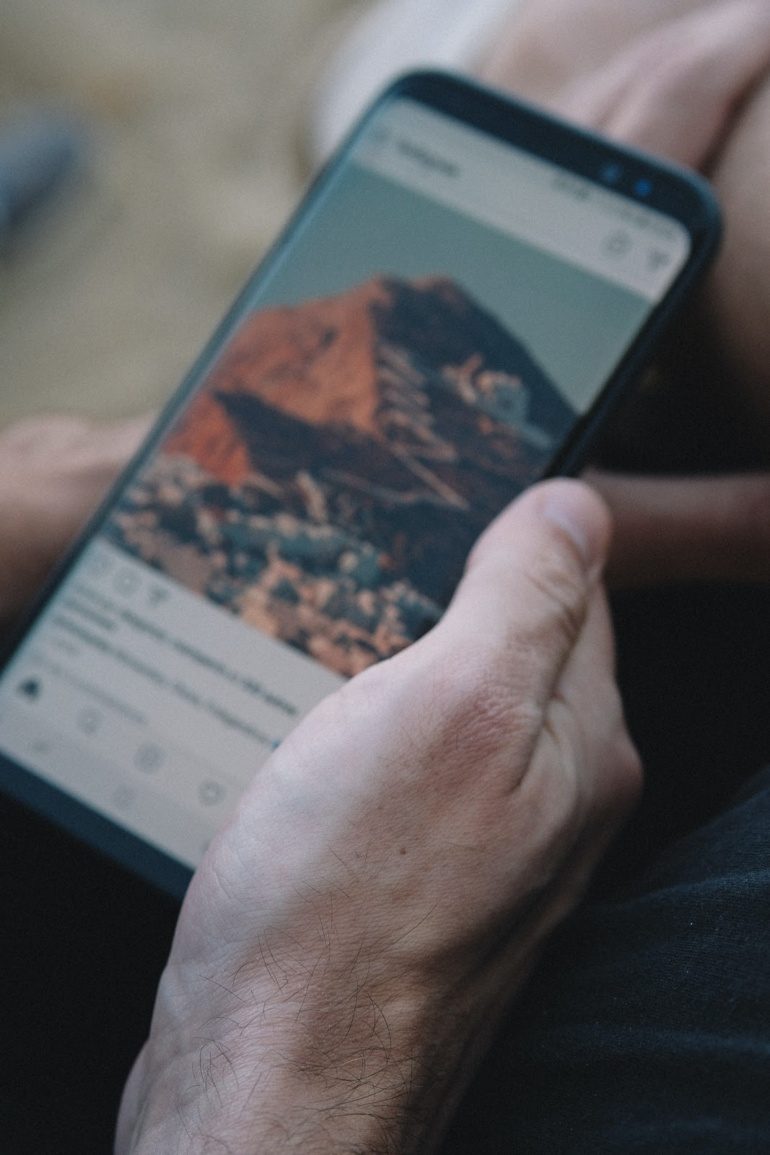
With the arsenal of apps and tools the web has to offer, creating stand-out visual content is as easy as tapping your mobile screen. Gone are the days of exclusively uploading photos and visuals and post-editing them via desktop. Now, with apps dedicated to sprucing up your Instagram feed in every aspect imaginable, you can upload post-worthy content directly after tapping your camera button.
Here are a few apps that can make your Instagram posts genuinely stand out.
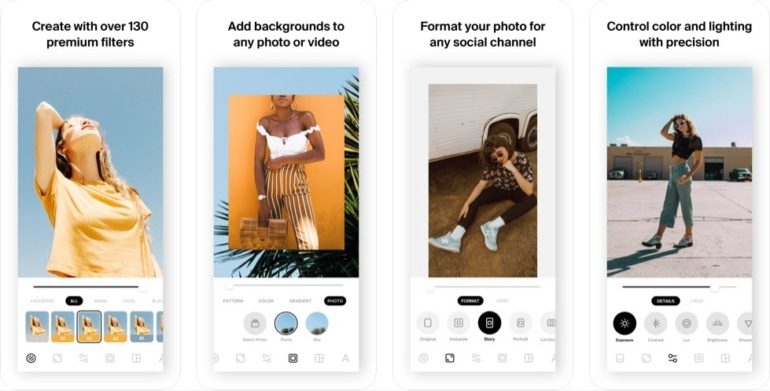
Quick, easy, and direct to the point. Instasize is the photo and video editing app for content creators on the go. The app offers a comprehensive toolkit for creatives that include editing tools like contrast, saturation, and exposure. Numerous filters and over 100+ borders enhance your photos in any format. At the same time, 20+ unique fonts let you add the perfect message to your post. Other features that make this app so convenient is a built-in collage maker and video editor. Instasize is free to download on iOS and Android but offers a premium subscription for a monthly fee that provides access to all the app features.
What Instasize is great for:
The app can be used to beef up your feed. Create a broad theme for your profile, which can make it look professional. If you plan on marketing yourself online, Instasize simplifies that whole process with its motif filters. And having a theme doesn’t mean that all your photos need to look the same. It’s all about conveying your overall brand story. Take a look at @britti3’s feed:
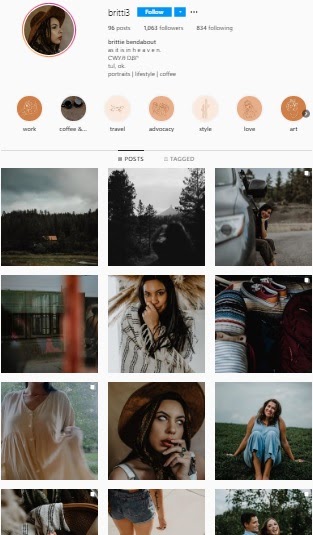
Her photos feature different subjects but all adhere to the same rustic theme which defines her brand. Her visual theme already communicates her personality and style to the audience without having to click on her post.
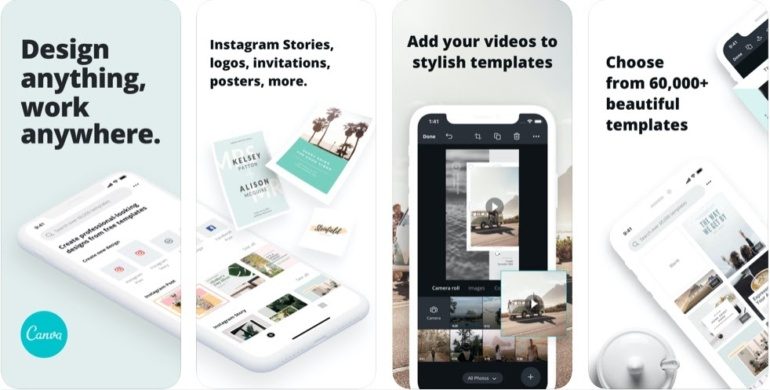
A powerful desktop tool that’s been compressed into an app for mobile convenience, Canva offers ready-to-use designs and templates for various formats, including one specific for Instagram. What’s great about this app is that it allows you to create a design from scratch or save time using its 60,000 templates. The UI is simple enough to understand even without a design background. With many fonts, graphics, and stock photos, Canva lets you create professional-looking posts easily. Canva is free to download on iOS and Android but offers Canva Pro for a monthly fee except for educators and non-profits.
What Canva is great for:
Canva is ideal for creating Instagram posts with numerous elements sans the use of Photoshop. The app lets you create posters and collages specific to a platform’s format, such as Instagram. With the ready-made templates, you can create banners without seeming disruptive to your Instagram feed.
For example, the post above used several photos and clippings for a mock mood board. Through Canva, an existing template was used and edited, personalized with pictures and illustrations.
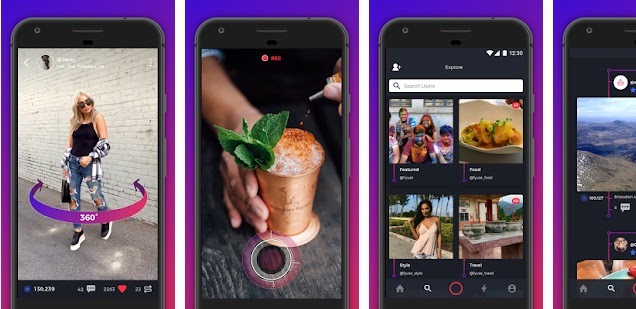
Fyuse is a spatial photography app that transforms the images you capture on your smartphone into 3D photographs. This app allows you to catch attention and engage your audience with unique posts that are more than just panoramic photos. Fyuse captures space and offers viewers different angles of the image at their own pace. 3D pictures created with Fyuse can be embedded and shared throughout various social media platforms and websites, emails, and text messages. Fyuse is free to download on both iOS and Android.
What Fyuse is great for:
Fyuse is best used for showcasing your brand’s latest product or project from all angles. But its 3D videos also open up doors to revealing bits and pieces of your company or brand. The app can be used to show an in-depth peek into your company culture or work process through behind-the-scenes posts.
Emilio Pucci used Fyuse to showcase his collection for the Milan 2019 fashion week. Using the app, he could also provide a sneak peek into the backstage of the fashion show. This insider’s touch piques curiosity, thus the numerous views.
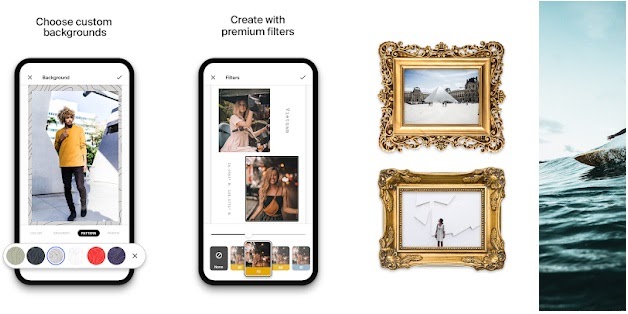
An app designed specifically for Instagram Stories, Made is a storytelling toolkit that lets you customize your Stories effortlessly. With numerous free templates and even more premium templates, customizable background colors and patterns, diverse fonts, and professional-grade filters, the app helps you create personalized and polished content. Made’s StoryBoard feature simplifies the content creation process by building out complete stories from beginning to end and seamlessly sharing it to Instagram. Made is available on iOS and Android to download for free, but a premium subscription plan unlocks all the app features and provides you with new templates and components every month.
What Made is great for:
Made helps your Stories genuinely come to life. Instagram Stories tend to feel less informal and polished compared to Instagram posts. However, if you want to push your brand’s message, even your Stories should have a cohesive theme and format to keep the audience’s attention.
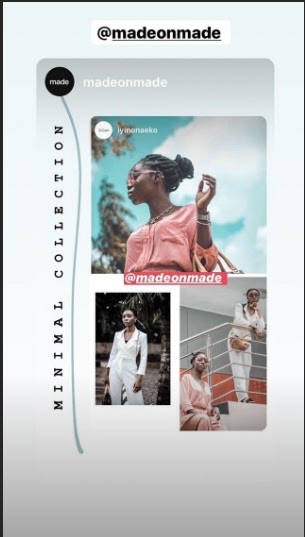
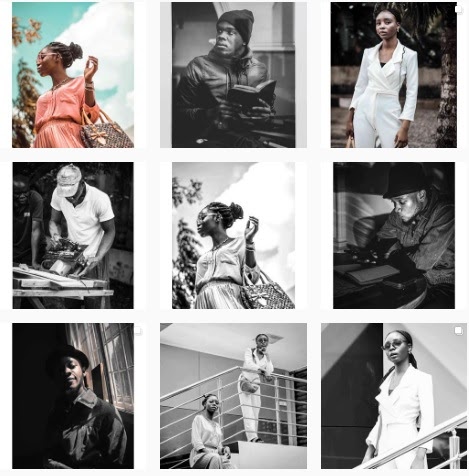
Photographer Iyin Onaeko took various posts and created a collage on her Stories. The minimalist theme is in tune with her feed, which displays subject-heavy portraits.
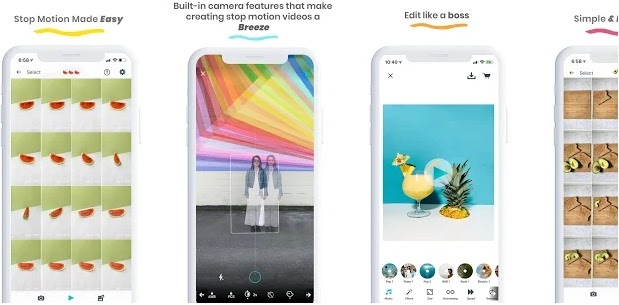
Instead of another video that can be scrolled over, captivate your audience with stop motion. LifeLapse takes away all the bulk of creating stop motion and time-lapse videos by simplifying the process and compressing it to just a few steps. The app requires no video editing skills, so it’s ideal for newbies who want to create arresting stop motion videos. All it needs is choosing a filter, song, and video ratio, and you’re ready to post. Its ghosted image feature is convenient when aligning your subject from clip to clip.
What LifeLapse is great for:
Because it offers a unique format, stop motion is an easy way to catch your audience’s attention. LifeLapse is excellent for brands that want to showcase their products in a fun and youthful manner. Stop motion is one of the out-of-the-box ideas that brands are looking towards to engage with their audience uniquely.
Tacia Fagundes of @veganbiteshots took to stop motion to feature blue spirulina in her smoothie bowl recipe. In her post, she recounts the superfood’s benefits and even adds the recipe to the video. The stop motion video features a beautiful layout and each step of the recipe in a fun and simple method.
Now, more than ever, stunning content on social media has become a gold standard for reaching and engaging with a broader audience. 80% of marketers rely on visuals for their Instagram marketing strategies. So prioritize creating visual content that catches attention, and you’d be surprised how quickly a good photo or a well-designed composition is shared on Instagram.
But even outside of the Instagram realm, it makes sense to use eye-catching visuals to grab interest, whether on your Facebook page, website, or newsletter. And with so many apps simplifying the design process, creating stand-out visual content can quickly be done on your phone.
Denise Langenegger is part of the team at Instasize – a content creating tool kit for anyone editing photos and online content on mobile.